Usage & Cost Control
Codesphere provides comprehensive usage and cost monitoring tools that give administrators full visibility into resource consumption across their organization.
Usage Summary
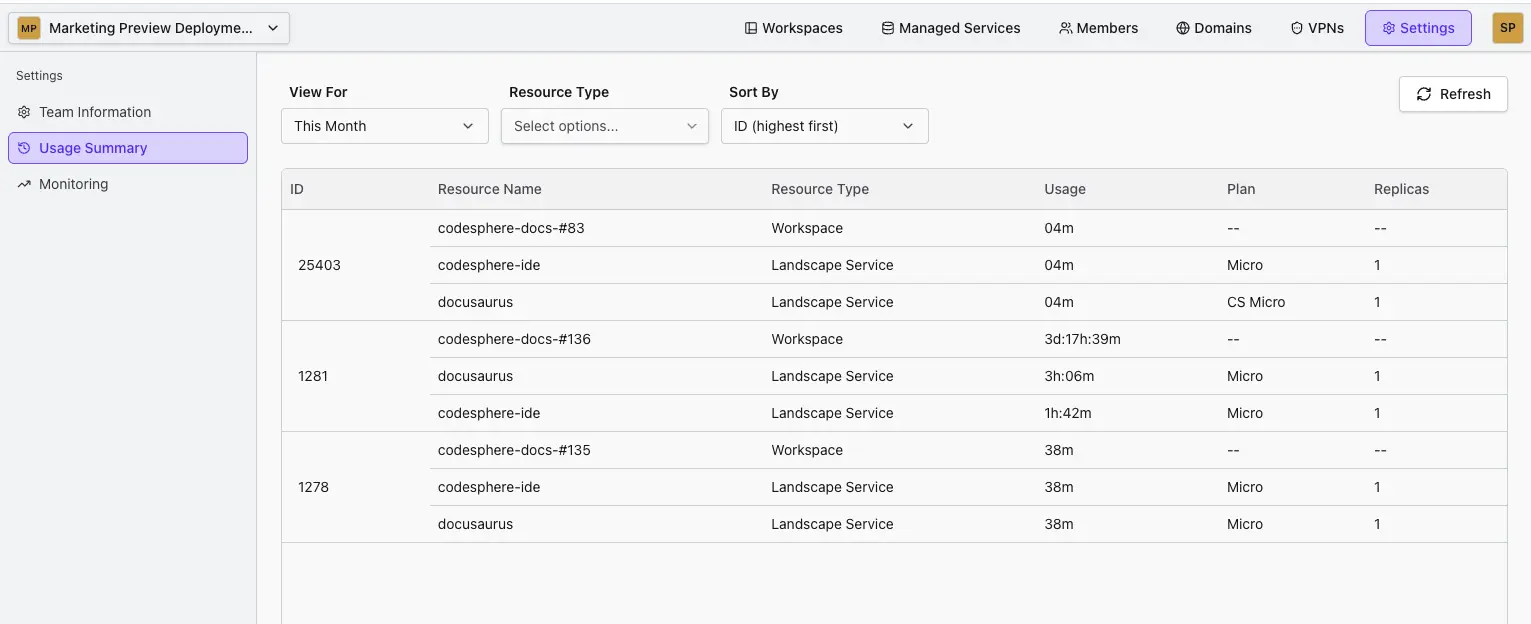
Administrators can access detailed usage information for each resource group (formerly team) through the Settings panel. The Usage Summary tab provides:
- Current Resources: View all active resources within the resource group
- Historical Data: Track past resource usage over time
- Resource Sizing: See CPU and memory allocation for each resource
- Flexible Filtering: Filter by time period and resource type
- Sorting Options: Sort resources by various criteria for easier analysis
Resource Audit Logs
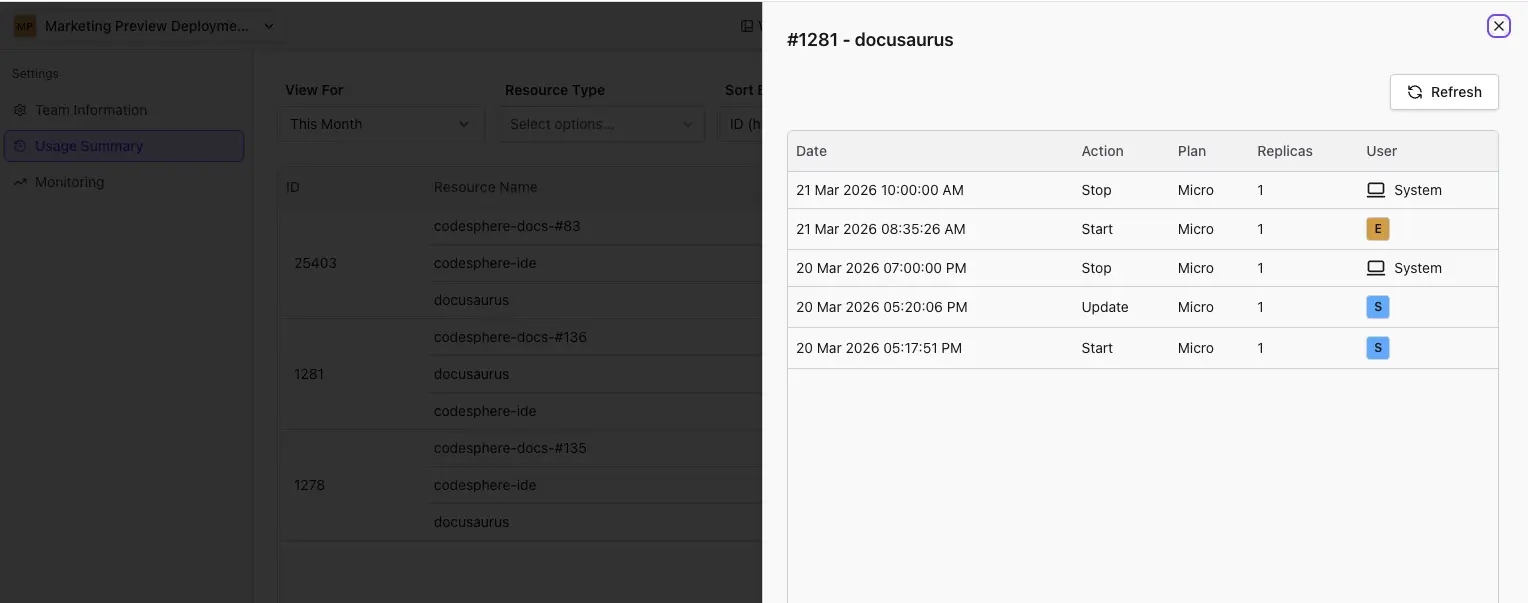
Click on any individual resource to view its complete audit log. The audit log captures all resource lifecycle events, including:
- Resource creation
- Start and stop operations
- Resource sizing changes (CPU & memory adjustments)
- User attribution for each action
Each log entry shows either:
- User name: When the action was triggered by a human
- "System": When the action was performed automatically
This detailed audit trail helps you understand resource usage patterns and identify optimization opportunities.
API Access & Custom Dashboards
All usage and cost data is available through the Codesphere Public API, enabling you to:
- Build custom dashboards
- Integrate with existing FinOps tools
- Create automated reporting workflows
- Develop custom cost allocation systems
Codesphere maintains internal templates and examples for building custom usage dashboards. Contact support to request these resources for your implementation.