Headless services
Headless services let you add HTTP and HTTPS routing rules to the Workspace Router without creating a separate reactive. They are useful when you need to forward traffic to services outside the current landscape, such as endpoints in a Virtual Kubernetes Cluster, Managed Services, Landscape Managed Services, or an external HTTP service.
A headless service is only configuration. When you sync the landscape, Codesphere updates the router so matching request paths are forwarded to the configured target URL.
How routing works
Each headless service defines one or more path forwards:
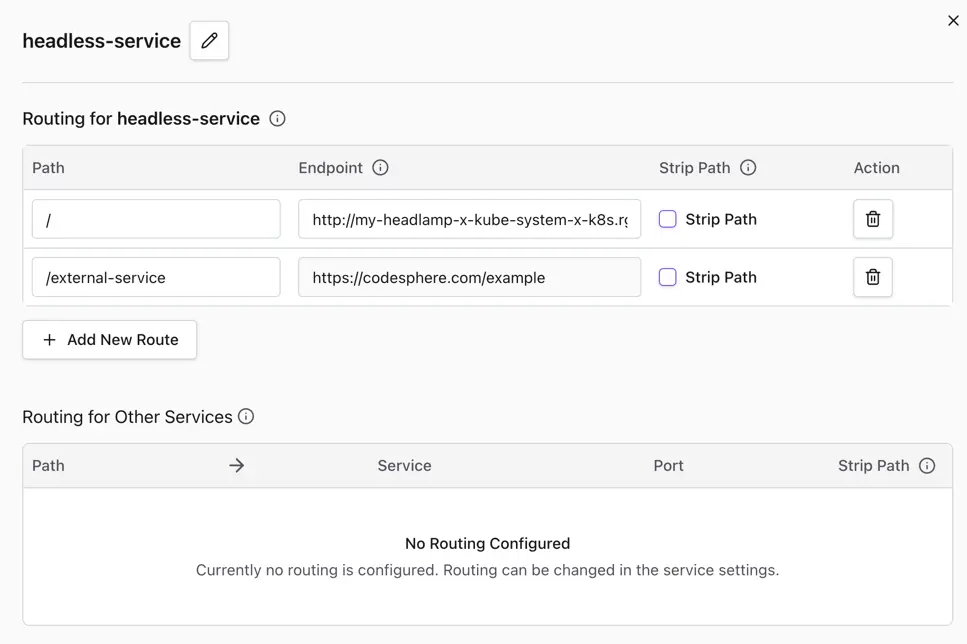
Path: The public request path handled by the Landscape Router.Endpoint: The existing HTTP or HTTPS endpoint that receives the request. Templating is supported, for example${{ workspace.id }}and${{ team.id }}.Strip Path: Whether the public path prefix should be removed before forwarding.
How to add a headless service
You can configure headless services from the Landscape Config Editor in the CI & Deploy section.
-
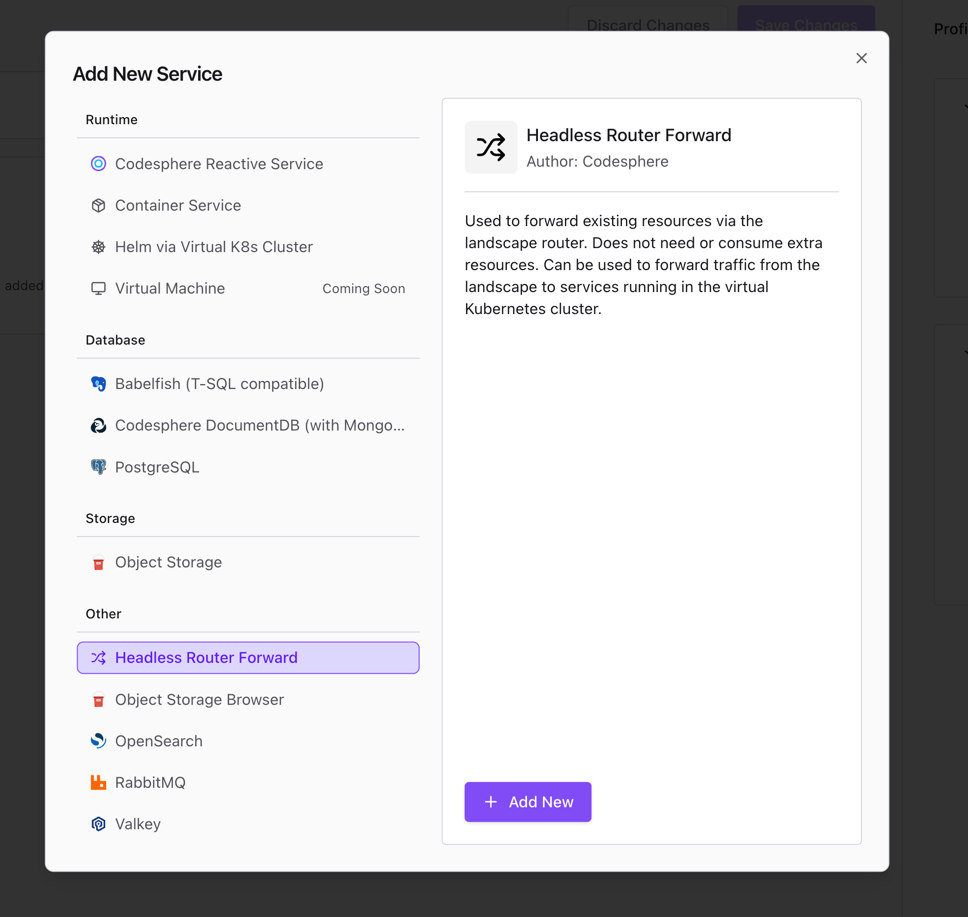
Select Headless Router Forward from the Add New Service dialog.
-
Edit the headless service configuration. Add the public route path, the existing HTTP target endpoint, and choose whether the route prefix should be stripped before the request is forwarded.
-
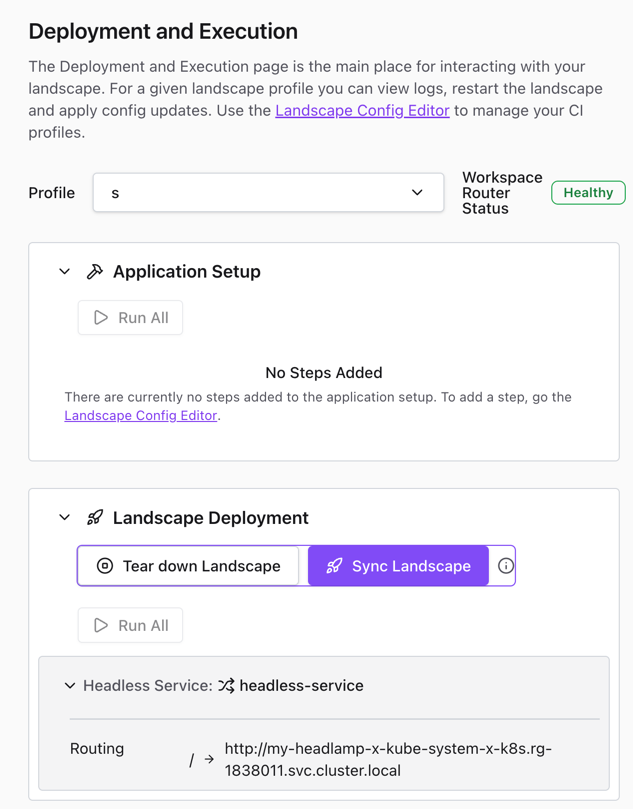
Save and sync the landscape. After deployment, the headless service router configuration is applied and appears with the other deployed services.
Examples
info
Reach the Headlamp service in a Virtual Kubernetes Cluster by adding the following configuration to ci.yml or through the UI:
run:
  headlamp:
    network:
      paths:
        - path: /
          stripPath: false
          target: http://my-headlamp-x-kube-system-x-k8s.rg-${{ team.id }}.svc.cluster.local
Namespace: kube-system
Service name: my-headlamp